Welcome to the M3Welder blog. It is written by the engineers behind the M3, a 3-in-1 jewelry laser workstation built by MAXWAVE that welds, marks and cuts on one bench. This first post explains what the machine is and what the articles that follow will cover.
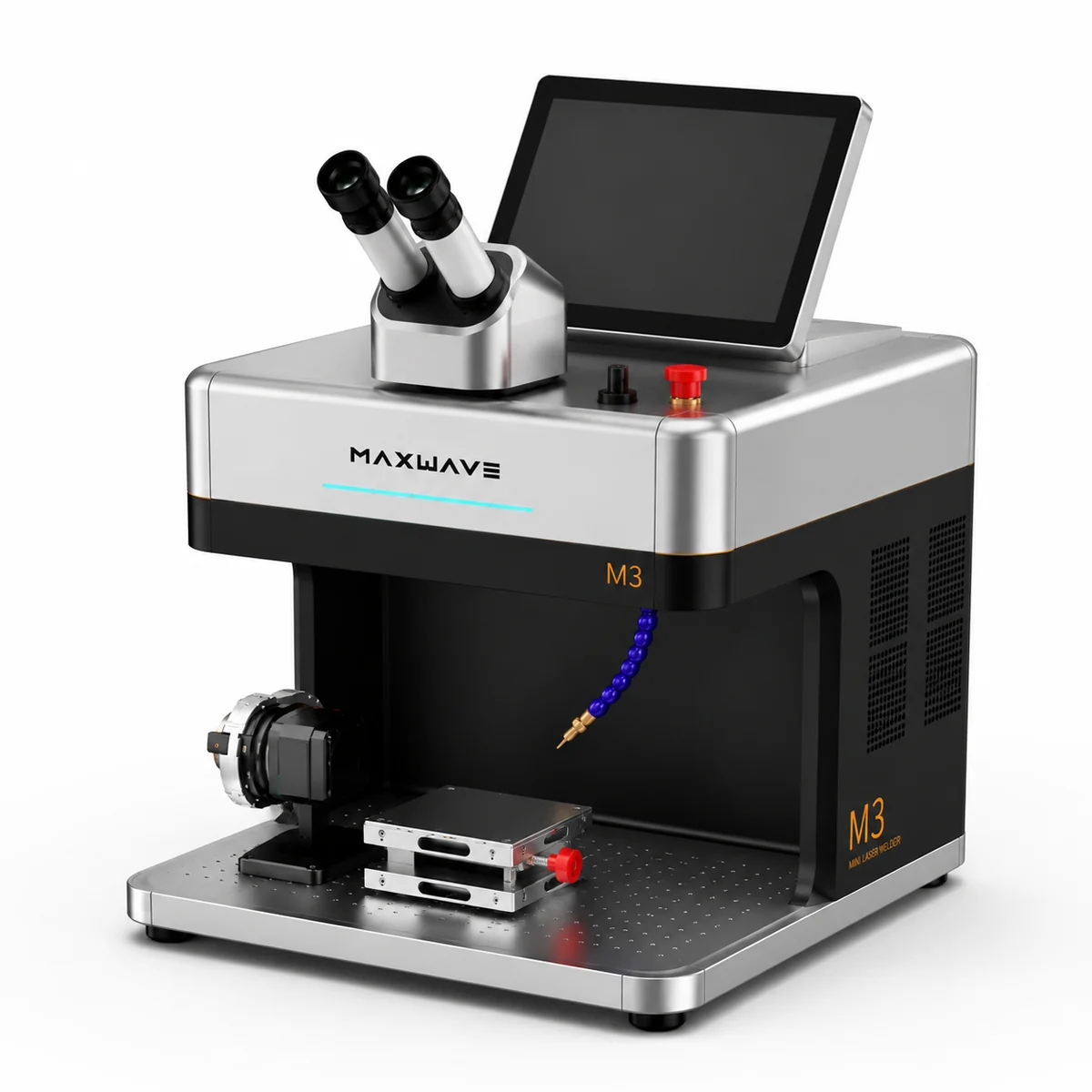
One workstation, two laser sources
The M3 carries two laser sources. A 120 W QCW welding source with 1,200 W peak power does the spot welding for repair and assembly work. A MOPA source, offered at 10, 20, 30 or 60 W, does the marking, engraving and cutting.
- Marking field: 70 x 70 mm, with 0.01 mm marking accuracy.
- Size and weight: 300 x 340 x 320 mm and 30 kg.
- Cooling: air cooled, so there is no chiller next to the bench.
- Control: a 10 inch Android touchscreen.
- Viewing: a 10X microscope and a Sony 8 MP camera.
What the blog will cover
The articles stay close to the work a jewelry bench does every week. They fall into four groups.
Jewelry repair welding
Re-tipping prongs, sizing ring shanks, closing chain links and fixing clasps with the welding source, and how to set up each job under the microscope.
Engraving and color marking
Text, logos and serial numbers on rings, pendants and tags, color marking with the MOPA source, and what to weigh when choosing between the 10, 20, 30 and 60 W options.
Thin-sheet cutting
Cutting name pendants, letters and small shapes from thin sheet with the MOPA source, directly on the jewelry bench.
Choosing a jewelry laser
What to compare before buying: the welding and marking sources, the marking field, the footprint and weight, the cooling, and the jobs your bench actually runs.
Ask us a question
If there is a topic you want covered, or a job you want to see on the M3, write to [email protected] or message +86 18571639620 by phone or WhatsApp, Mon–Sat 09:00–18:00 (GMT+8). You can also send an enquiry or read the full M3 specifications.
